
Creating great video content starts long before someone hits “Record.”
For many organizations, one of the biggest barriers to scaling video creation is helping contributors know exactly what to say. Subject matter experts, executives, advisors, employees, and field teams often have valuable knowledge to share, but recording can feel intimidating without guidance or preparation.
Teams frequently run into common challenges:
- Not knowing what to say or what the key messages are
- Employees feeling unsure or unprepared on camera
That’s why Socialive now allows teams to add prompts, scripts, and talking points directly into Recording Booth invitation links.
When a contributor opens the Recording Booth link or accesses it through the Socialive Portal, the messaging automatically appears inside the teleprompter — giving them instant context and helping them start recording confidently.
Whether you want contributors to follow a fully approved script, answer guided questions, or simply reference a few talking points, prompts make the recording experience significantly easier and faster.
Why This Matters
Video creation often slows down before recording even begins.
People spend time preparing notes, opening separate documents, or wondering whether they are communicating the right message. For enterprise organizations — especially those managing brand consistency, compliance, or distributed teams — these small inefficiencies quickly add up.
By embedding prompts directly into Recording Booth invites, teams can:
- Reduce preparation time
- Improve messaging consistency
- Help contributors feel more confident
- Speed up recording workflows
- Eliminate unnecessary back-and-forth
- Scale video creation more efficiently
This is especially valuable for organizations empowering large numbers of contributors to create video regularly.
Examples include:
- Advisor communications
- Executive updates
- Employee onboarding
- Internal communications
- Thought leadership content
- Product announcements
- Customer education videos
How to Use Invite to Record in the Editor
Invite to Record allows you to collect video contributions directly inside your project. Contributors receive a secure recording link, and once submitted, their recording is automatically added to your project.
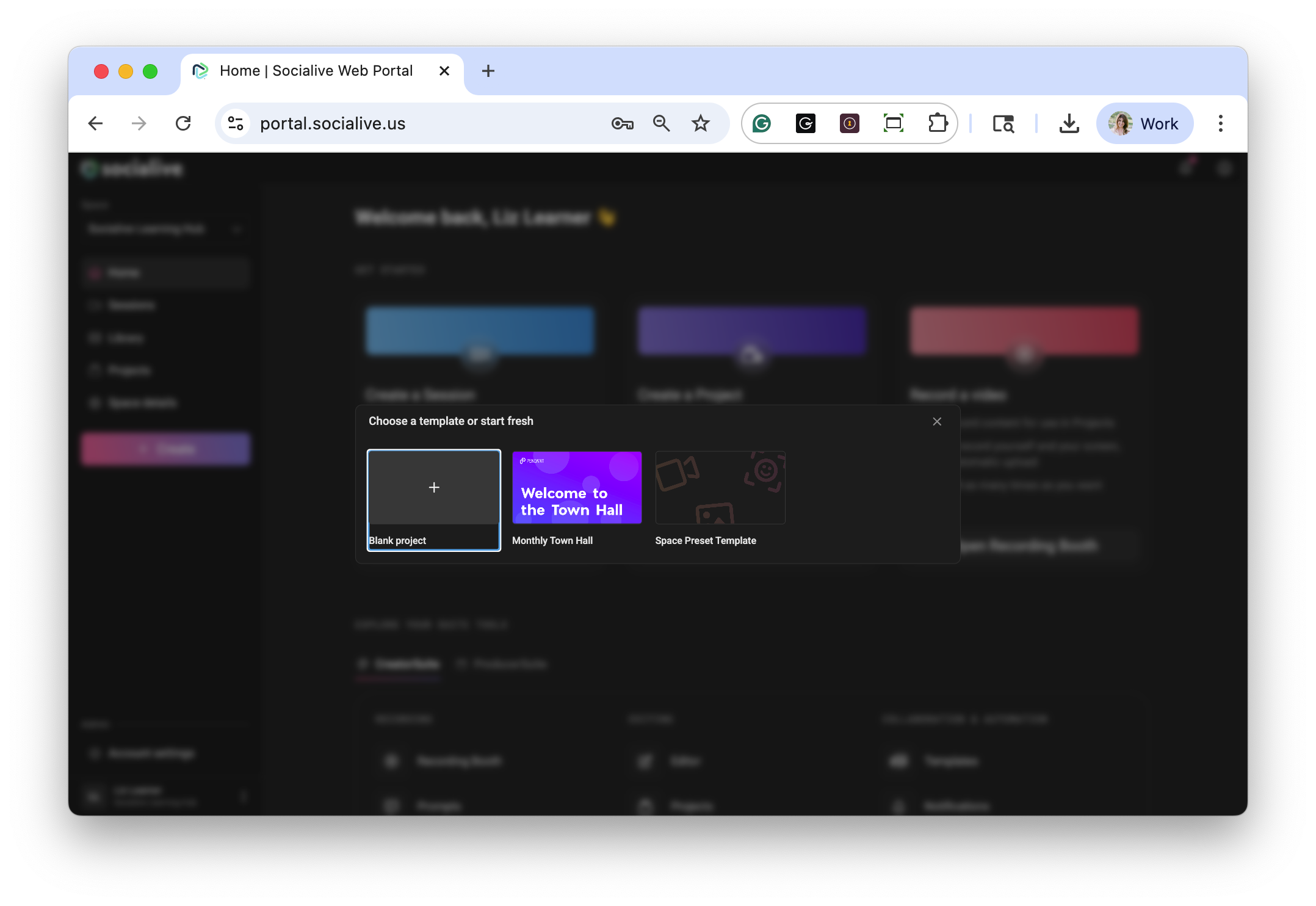
Step 1: Create or Open a Project
Click Create a New Project or open an existing project in the Editor.
For a new project, you can either:
- Start with a Blank Project
- Select a Template
Step 2: Add an Invite to Record Scene
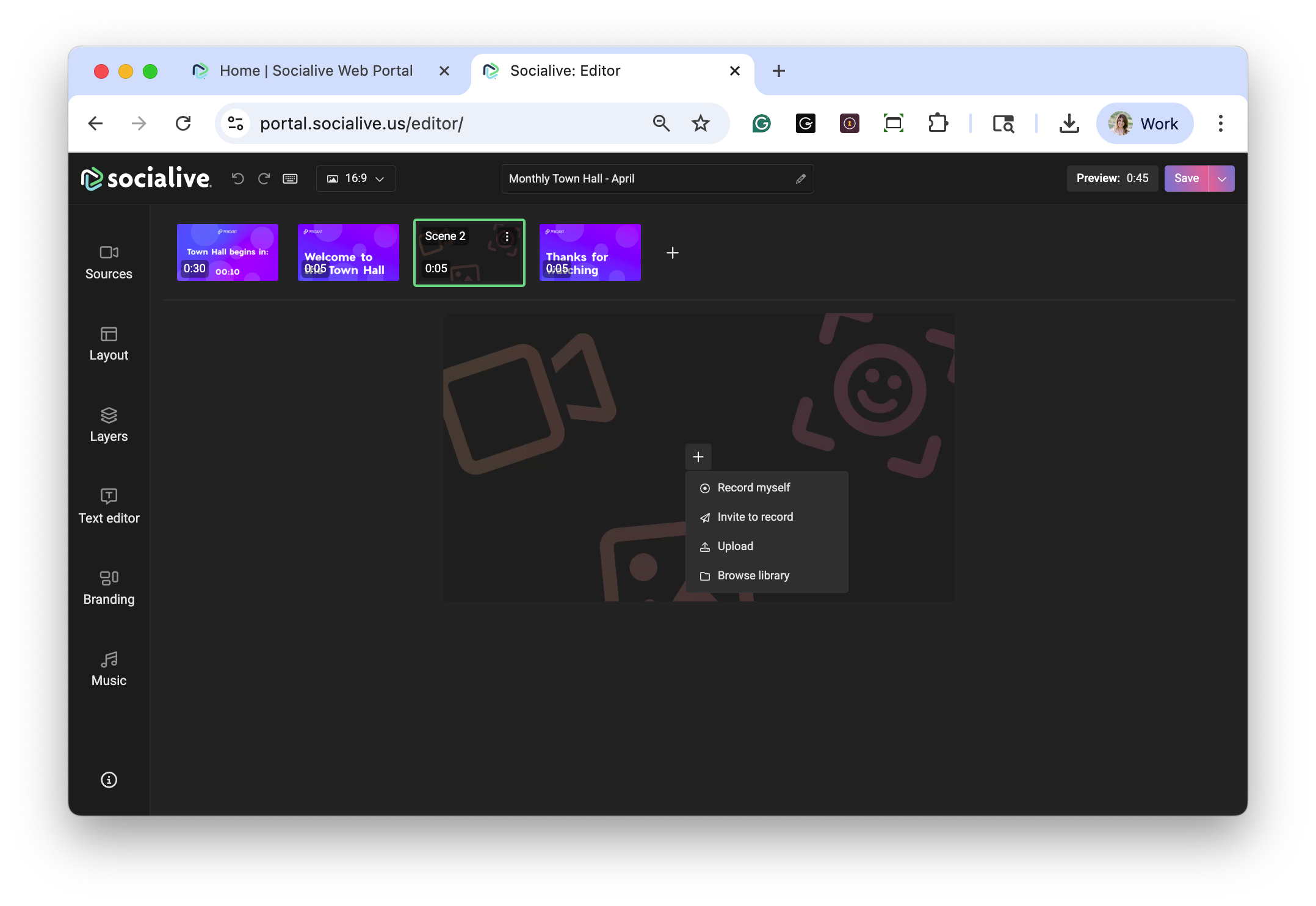
Inside the Editor, click the + icon on the scene preview where you want to add a Contributor recording.
From the menu, select Invite to Record.
Step 3: Configure the Invitation
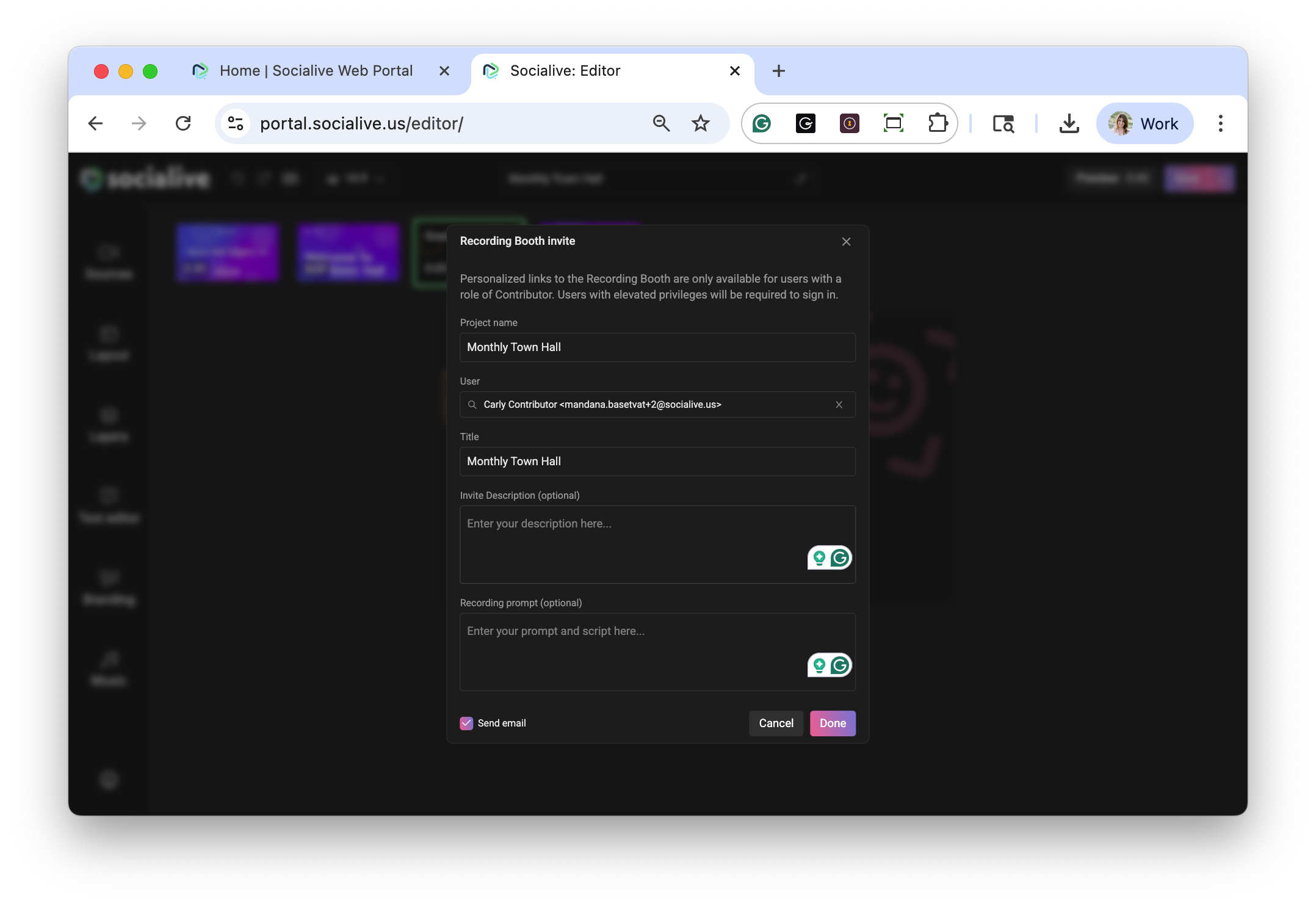
Fill out the invitation details:
- Project Name
- Contributor
- Invitation Title
- Description
- Recording Prompt
The recording prompt can include talking points, instructions, or guidance to help Contributors record with confidence.
Step 4: Send the Invitation
Choose whether you want to send the email invitation immediately.
If enabled, the Contributor will receive a secure recording link by email.
Click Done to create the invitation and placeholder scene.
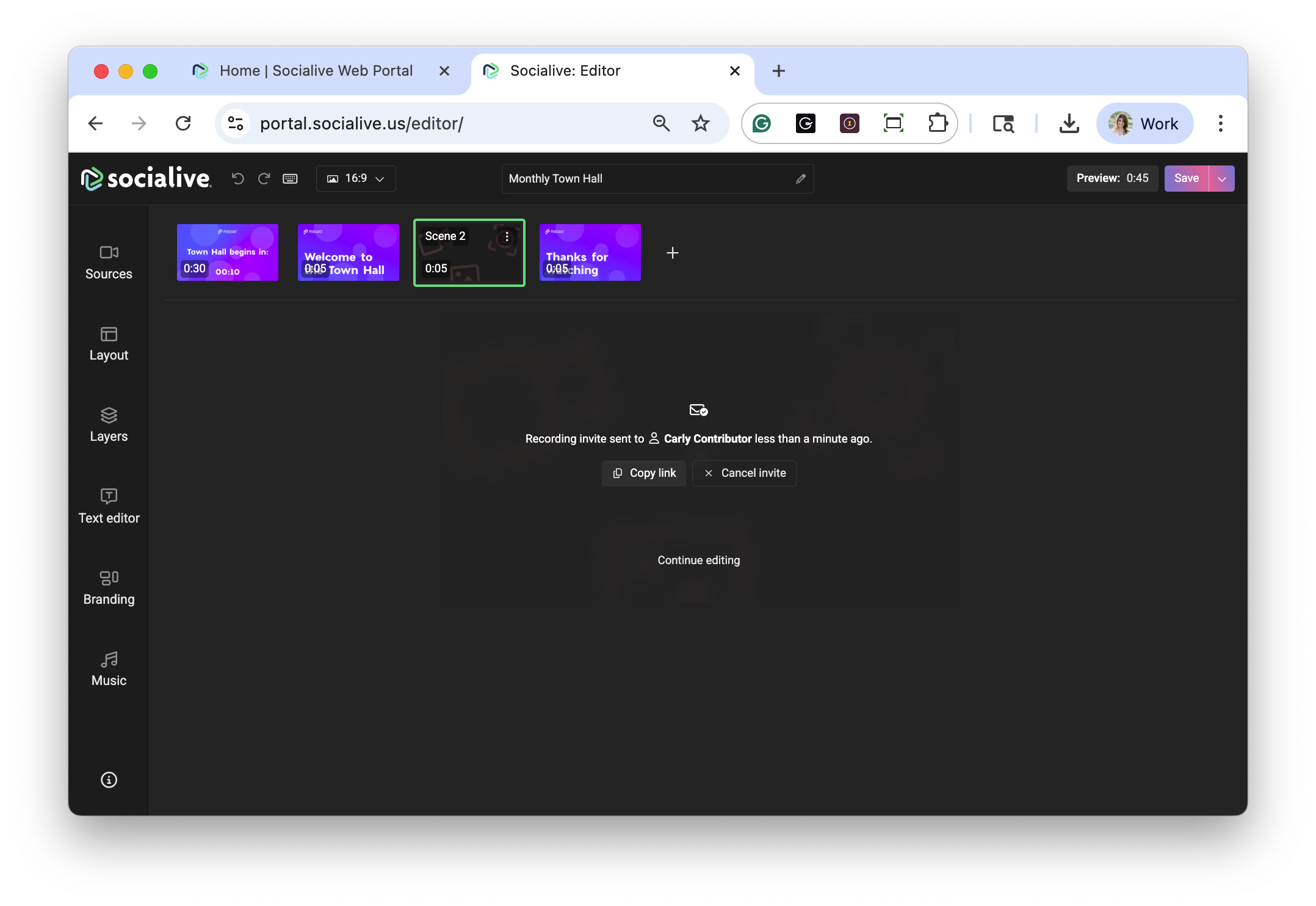
Step 5: Manage the Placeholder
Once created, the placeholder scene will appear directly inside your project.
From the placeholder, you can:
- Copy the recording link
- Resend the invitation
- Cancel the invitation
Step 6: Review the Submitted Recording
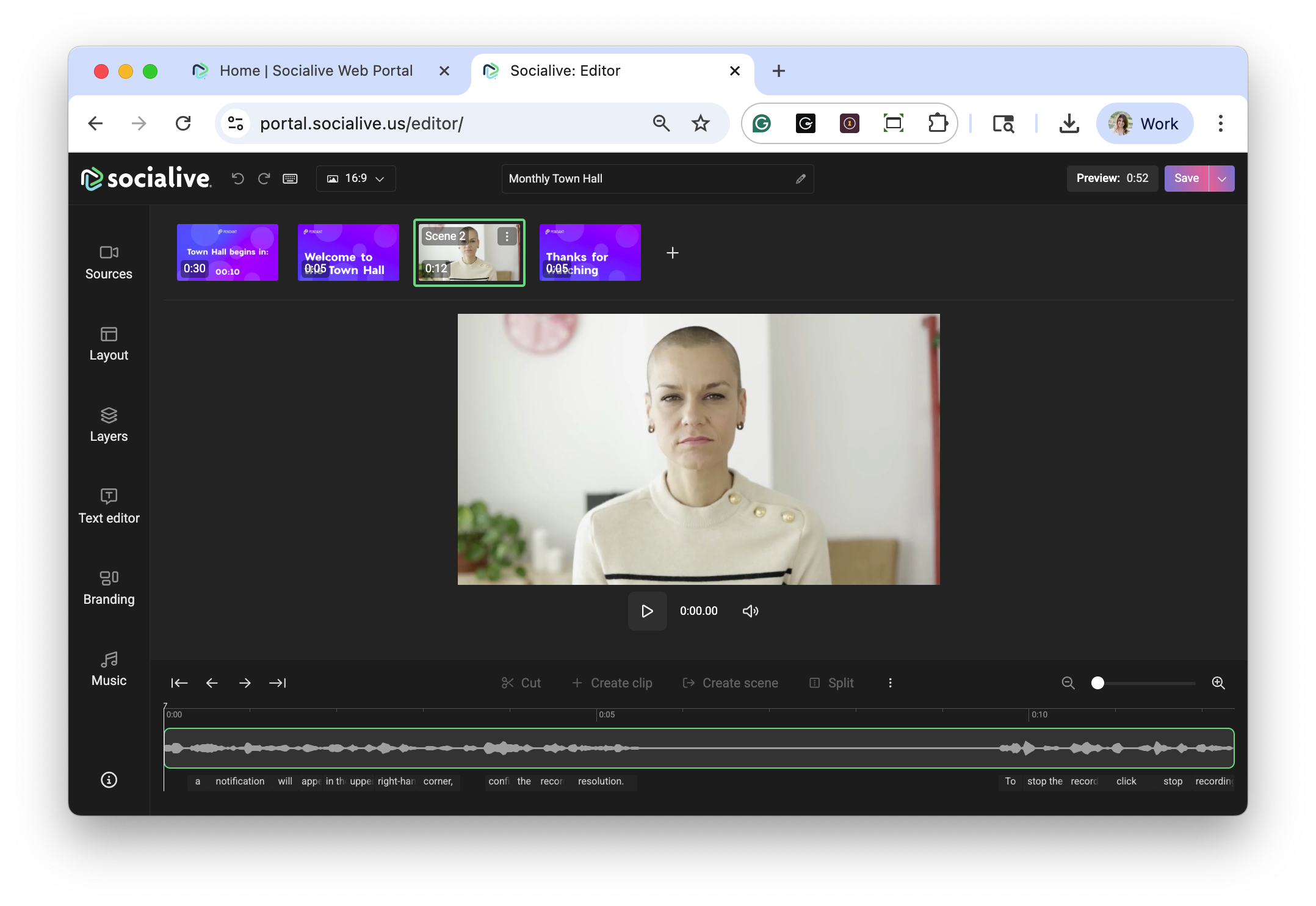
After the Contributor submits their recording, the placeholder is automatically replaced with the completed video inside your project.
You’ll also receive a notification when the recording is ready for review and editing.
Invite to Record simplifies collaborative video creation by making it easy for executives, advisors, subject matter experts, and distributed teams to contribute high-quality video content directly into your workflow.
Helping Contributors Record with Confidence
Not everyone who records video is a professional presenter — and they shouldn’t have to be.
By giving contributors clear prompts and guidance directly inside the recording workflow, organizations can dramatically reduce friction and help people feel more comfortable on camera.
Instead of spending time figuring out what to say, contributors can focus on delivering authentic, high-quality communication.
For organizations scaling video across employees, advisors, executives, or distributed teams, this creates a more repeatable and efficient process while still maintaining consistency and control.
Faster, More Repeatable Video Creation
Recording Booth was built to simplify enterprise video creation.
Adding prompts and scripts directly into invitation links is another step toward making video creation as easy and repeatable as everyday communication.
It helps organizations move faster, reduce preparation overhead, and empower more people to create polished, on-brand video content with confidence.