solutions / CreatorSuite

Unlock the power of short-form video

Intuitive tools to create repeatable, on-brand, compliant video that breaks through.

Ways to put CreatorSuite to work

Employee stories

Bring a day in the life of a teammate to life

Brand ambassadors

Turn employee voices into brand stories.

Executive social

Elevate executives as social thought leaders.

Employee advocacy

Empower employees to advocate.

Sales outreach

Enable sales to connect with impact.

Product insights

Showcase products through customer perspectives.

Short explainers

Transform complex ideas into clear explainers.

Culture content

Highlight culture with authenticity.

Employee stories

Bring a day in the life of a teammate to life

Brand ambassadors

Turn employee voices into brand stories.

Executive social

Elevate executives as social thought leaders.

Employee advocacy

Empower employees to advocate.

Sales outreach

Enable sales to connect with impact.

Product insights

Showcase products through customer perspectives.

Short explainers

Transform complex ideas into clear explainers.

Culture content

Highlight culture with authenticity.

Give your teams the tools to create snackable video faster

Recording Booth

Easy, self-guided recording with a built-in teleprompter for desktop or mobile. Files are never stored locally, keeping content secure.

Invitations with prompts
Automatic upload
Desktop and mobile

Editor

Rapid, template-based editing tools that anyone can use. With a simple drag-and-drop interface, it’s easy to add subtitles, graphics, and branding.

Text editing
Drag and drop
Templates

And everything else you need to create short-form video at scale

Recording
Recording Booth
Prompts
Recording invites
Teleprompter
Upload links
Editing
Editor
Projects
Templates
Text editor
Subtitles & captions
Reviews & approvals
Notifications
Email alerts
One-click publishing
publishing

Connect and publish to your existing enterprise applications

Seamlessly publish across social, hosting, work, storage, and LMS platforms to streamline workflows, support easy reviews, and meet compliance standards.
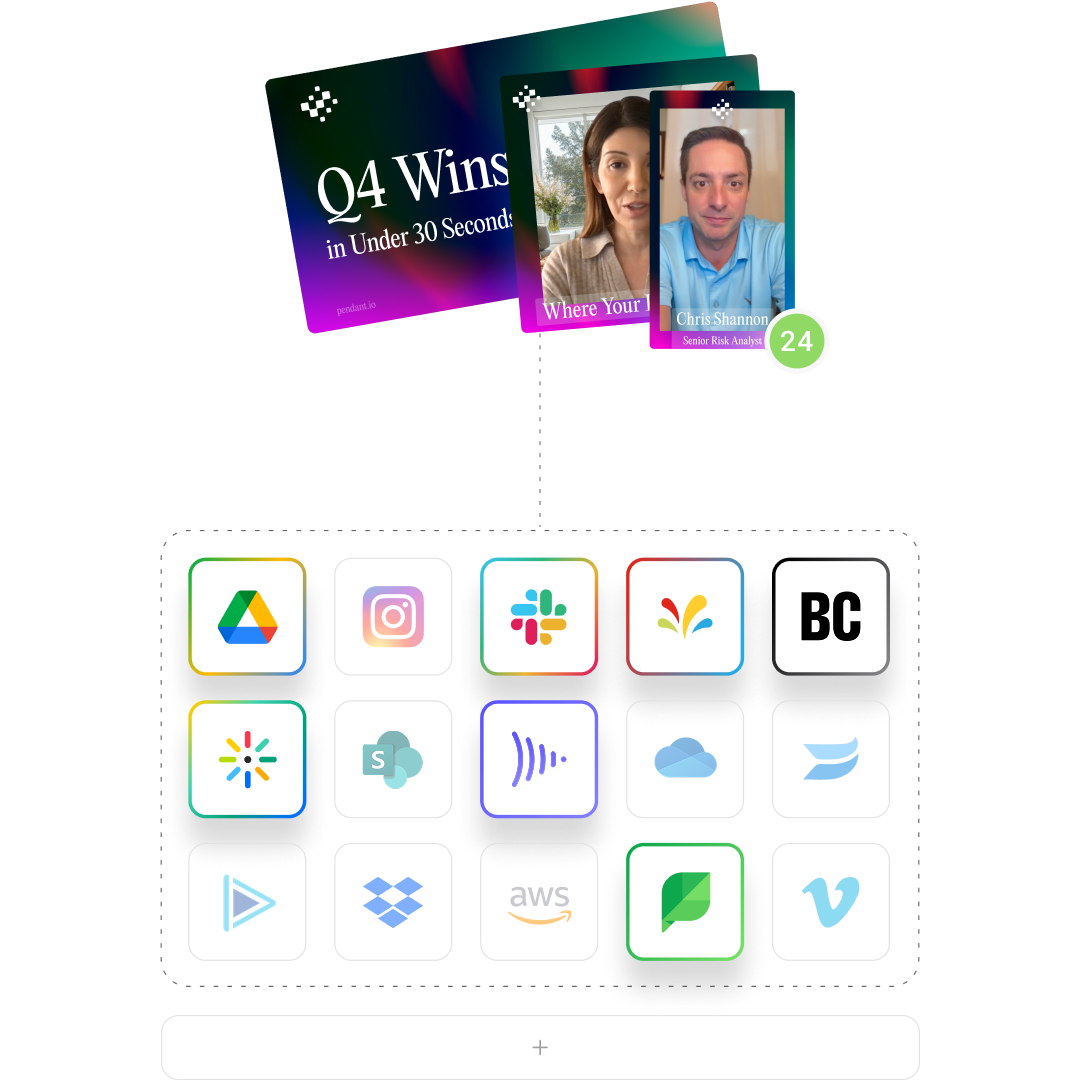
Illustration of video files being published from Socialive to various platform such as google drive, slack, sprinklr and more

Scale video creation with speed ⚡ and control 🔒

Editing for everyone

If you can use a Word document, you can edit videos in CreatorSuite. Templates, subtitles, and graphics make every video polished and compliant.

Simple recording

So simple, you can get more people recording in a consistent, repeatable way. Every session is auto-saved to your content library in the highest quality.

Project management

Spaces, permissions, and shared assets give people exactly what they need — nothing more, nothing less.


Recent CreatorSuite news

Press release
Socialive, Integrated Partners partner to help advisors scale expertise, build trust, strengthen human connection through video, social media, AI
Partnerships
5 min read

EL SEGUNDO, CA — July 8, 2026 — Socialive, the enterprise video creation platform built for regulated industries, and Integrated Partners, a leading national financial planning and wealth management firm, today announced a strategic partnership to help advisors strengthen client relationships, increase visibility, and scale authentic communication through video, social media, and AI.

The partnership will equip Integrated Partners advisors with the tools to create high-quality, branded video content that helps them share expertise, communicate consistently, and build trust with clients and prospects across digital channels. Together, the firms are creating a scalable approach to advisor communication that combines the power of human connection with modern technology.

As part of the announcement, Socialive Founder and CEO David Moricca sat down with Integrated Partners Chief Brand Officer Matt Ackermann for a conversation on how wealth management firms can use video to scale expertise, build trust, and strengthen human connection in an increasingly AI-driven world.

In the 30-minute discussion, they explore why authentic expertise matters more than ever, how video has become one of the most effective ways for advisors to build credibility and familiarity, and why the firms that win won't use technology to replace human relationships — they'll use it to amplify expertise, strengthen trust, and help advisors connect with more people in meaningful ways.

The financial landscape is undergoing a massive transformation, with an estimated $124 trillion in wealth expected to transfer to heirs, spouses, and charities through 2048 in what has been called the largest intergenerational wealth transfer in history.¹ At the same time, many firms are facing advisor shortages, increasing competition, and changing client expectations. As investors increasingly research financial topics online and through social media before engaging with an advisor, trust is being built long before the first meeting. Research shows that 30% of Americans use social media for financial advice, with adoption significantly higher among younger generations.²

In this environment, trust is increasingly driven by visibility, familiarity, and ongoing communication. While technology continues to reshape the industry, investors still choose advisors they know and trust. Video has emerged as one of the most effective ways to scale authentic human connection, allowing advisors to share expertise, communicate consistently, and build relationships across digital channels. As firms adapt to the expectations of younger, digitally engaged investors, many are investing in video as a core component of advisor growth, visibility, and client engagement. Research from CFA Institute found that 44% of Gen Z investors use social media to learn about investing, underscoring the growing importance of digital engagement for wealth management firms.³

While technology continues to reshape the industry, investors still choose advisors they know and trust. Video has emerged as one of the most powerful ways to humanize expertise, demonstrate credibility, and create authentic connections at scale. At the same time, AI is helping firms remove the traditional barriers associated with content creation, making it easier for advisors to communicate consistently while remaining authentic and compliant.

"The future of wealth management isn't about replacing human relationships with technology. It's about helping advisors scale their expertise and strengthen those relationships in a more digital world," said David Moricca, Founder and CEO of Socialive. "Video gives advisors the ability to communicate in a way that is personal, authentic, and human, while AI helps remove the friction that has traditionally limited participation. The firms that succeed will be the ones that combine technology with authentic expertise."

"As AI becomes more prevalent, authenticity becomes more valuable," said Matt Ackermann, Chief Brand Officer at Integrated Partners. "Investors still want trusted guidance from real people. Video gives advisors the ability to share their expertise, perspective, and personality in a way that builds familiarity and trust long before a first meeting. The opportunity isn't simply to create more content—it's to create more meaningful connections."

While technology continues to transform how advisors communicate, relationships remain the foundation of wealth management. Firms that successfully combine authentic expertise, human connection, and modern communication channels will be best positioned to earn trust, deepen engagement, and grow in the years ahead. Through conversations like this one, Socialive and Integrated Partners are helping industry leaders explore what that future looks like.

About Socialive

Socialive is an AI-powered video creation platform that helps organizations communicate with video as easily as they do with text. Built for scalable, real-time communication, Socialive enables marketing and business teams to empower executives, advisors, and subject matter experts to create authentic, on-brand, and compliant video quickly and consistently.

Through guided workflows, embedded AI, and enterprise-grade governance, Socialive transforms video from a slow, one-off production process into a fast, repeatable system for everyday communication. Its newest AI capabilities help organizations transform expertise, insights, and ideas into compelling video while removing friction from creation, production, branding, and compliance workflows.

About Integrated Partners

Integrated Partners is a national financial planning and registered investment advisory firm that helps advisors deliver comprehensive wealth management through an integrated approach that combines financial planning, tax expertise, and business consulting. The firm supports advisors with the resources, technology, and strategic guidance needed to strengthen client relationships and grow their businesses.

Blog
Bring your videos to life with custom text overlays
Product
5 min read

The videos that stand out and drive engagement are usually the ones that feel dynamic, polished, and easy to follow.

From social clips and webinars to executive updates and snackable content, on-screen text helps capture attention, reinforce key messages, and keep viewers engaged while scrolling.

That’s why Socialive now includes Custom Text Overlays directly inside the Editor.

With Text Overlays, creators can add and customize on-screen text elements without relying on external design tools or complicated editing workflows. Whether you’re adding agendas, speaker names, key statistics, disclaimers, announcements, or calls to action, you can now build polished visual elements directly within Socialive.

The result? Faster production workflows and more engaging, professional-looking content.

Why text overlays matter

Most viewers decide within seconds whether they’ll continue watching a video.

Text overlays help immediately communicate context and guide attention — especially in social feeds where people are scrolling quickly or watching with sound low or muted.

Simple overlays can help:

  • Make videos feel more polished and branded
  • Reinforce key messaging
  • Improve viewer retention
  • Highlight important moments
  • Increase accessibility
  • Create more visually engaging content

Even small visual enhancements can make contributor-created content feel significantly more professional.

What you can create with text overlays

Text Overlays make it easy to build visual elements directly inside your production workflow.

Popular use cases include:

  • Speaker lower-thirds
  • Episode titles
  • Live agendas
  • Statistics and data highlights
  • Compliance disclaimers
  • Quotes and soundbites
  • Call-to-action messaging
  • Event announcements
  • Section headers
  • Session summaries
  • Breaking news or market updates

Because overlays can be edited directly inside Socialive, teams can quickly update messaging without recreating graphics in external design tools.

How to add text overlays

1. Open the layers tab and select overlay

Start by opening the Layers tab inside the Socialive Editor and choose the Overlay option to begin adding a new visual element.

2. Choose text

Select Text to create a custom text overlay directly inside your project.

3. Customize your overlay

Once added, text boxes can be fully customized within the platform.

Customization options include:

  • Drag-and-drop placement
  • Text resizing
  • Bold formatting
  • Center alignment
  • Fill colors
  • Borders with adjustable thickness
  • Rounded corners for a polished appearance


Creative ways to use text overlays

Not sure where to start? Here are a few ideas teams are already using:

Create scroll-stopping headlines

Use bold opening text to immediately tell viewers why the content matters.

Examples:

  • “3 investing trends to watch”
  • “What every advisor should know”
  • “Big product announcement”
  • “Key takeaways from EDGE”

Highlight important quotes

Pull out impactful one-liners or soundbites to reinforce key moments.

This works especially well for:

  • Executive thought leadership
  • Customer testimonials
  • Fireside chats
  • Webinar clips

Add branded section titles

Break longer videos into digestible sections using title overlays.

Examples:

  • “Market outlook”
  • “What changed”
  • “What’s next”
  • “Customer spotlight”

Reinforce calls to action

Use overlays near the end of videos to encourage the next step.

Examples:

  • “Register now”
  • “Learn more”
  • “Download the report”
  • “Follow for more insights”

Best practices for better overlays

1. Keep text concise: Short phrases are easier to read quickly, especially on mobile devices.

2. Prioritize readability: Use high-contrast colors and large enough text sizes so overlays remain easy to read across screens.

3. Avoid overcrowding: Too much text can distract from the speaker and reduce engagement.

4. Keep styling consistent: Using consistent colors, fonts, and placement helps content feel more branded and professional.

5. Time overlays intentionally: Bring overlays in when they reinforce what’s being said rather than competing with the speaker.

Now teams can create and adjust overlays directly inside Socialive, making workflows faster, more flexible, and easier to scale.

Whether you’re producing social clips, executive communications, webinars, or advisor videos, Text Overlays help transform simple recordings into more engaging, branded, and professional content.

Blog
Making it easy for your contributors to record
Product
5 min read

Creating great video content starts long before someone hits “Record.”

For many organizations, one of the biggest barriers to scaling video creation is helping contributors know exactly what to say. Subject matter experts, executives, advisors, employees, and field teams often have valuable knowledge to share, but recording can feel intimidating without guidance or preparation.

Teams frequently run into common challenges:

  • Not knowing what to say or what the key messages are
  • Employees feeling unsure or unprepared on camera

That’s why Socialive now allows teams to add prompts, scripts, and talking points directly into Recording Booth invitation links.

When a contributor opens the Recording Booth link or accesses it through the Socialive Portal, the messaging automatically appears inside the teleprompter — giving them instant context and helping them start recording confidently.

Whether you want contributors to follow a fully approved script, answer guided questions, or simply reference a few talking points, prompts make the recording experience significantly easier and faster.

Why This Matters

Video creation often slows down before recording even begins.

People spend time preparing notes, opening separate documents, or wondering whether they are communicating the right message. For enterprise organizations — especially those managing brand consistency, compliance, or distributed teams — these small inefficiencies quickly add up.

By embedding prompts directly into Recording Booth invites, teams can:

  • Reduce preparation time
  • Improve messaging consistency
  • Help contributors feel more confident
  • Speed up recording workflows
  • Eliminate unnecessary back-and-forth
  • Scale video creation more efficiently

This is especially valuable for organizations empowering large numbers of contributors to create video regularly.

Examples include:

  • Advisor communications
  • Executive updates
  • Employee onboarding
  • Internal communications
  • Thought leadership content
  • Product announcements
  • Customer education videos

How to Use Invite to Record in the Editor

Invite to Record allows you to collect video contributions directly inside your project. Contributors receive a secure recording link, and once submitted, their recording is automatically added to your project.

Step 1: Create or Open a Project

Click Create a New Project or open an existing project in the Editor.

For a new project, you can either:

  • Start with a Blank Project
  • Select a Template

Step 2: Add an Invite to Record Scene

Inside the Editor, click the + icon on the scene preview where you want to add a Contributor recording.

From the menu, select Invite to Record.

Step 3: Configure the Invitation

Fill out the invitation details:

  • Project Name
  • Contributor
  • Invitation Title
  • Description
  • Recording Prompt

The recording prompt can include talking points, instructions, or guidance to help Contributors record with confidence.

Step 4: Send the Invitation

Choose whether you want to send the email invitation immediately.

If enabled, the Contributor will receive a secure recording link by email.

Click Done to create the invitation and placeholder scene.

Step 5: Manage the Placeholder

Once created, the placeholder scene will appear directly inside your project.

From the placeholder, you can:

  • Copy the recording link
  • Resend the invitation
  • Cancel the invitation

Step 6: Review the Submitted Recording

After the Contributor submits their recording, the placeholder is automatically replaced with the completed video inside your project.

You’ll also receive a notification when the recording is ready for review and editing.

Invite to Record simplifies collaborative video creation by making it easy for executives, advisors, subject matter experts, and distributed teams to contribute high-quality video content directly into your workflow.

Helping Contributors Record with Confidence

Not everyone who records video is a professional presenter — and they shouldn’t have to be.

By giving contributors clear prompts and guidance directly inside the recording workflow, organizations can dramatically reduce friction and help people feel more comfortable on camera.

Instead of spending time figuring out what to say, contributors can focus on delivering authentic, high-quality communication.

For organizations scaling video across employees, advisors, executives, or distributed teams, this creates a more repeatable and efficient process while still maintaining consistency and control.

Faster, More Repeatable Video Creation

Recording Booth was built to simplify enterprise video creation.

Adding prompts and scripts directly into invitation links is another step toward making video creation as easy and repeatable as everyday communication.

It helps organizations move faster, reduce preparation overhead, and empower more people to create polished, on-brand video content with confidence.

Blog
Turning video into a repeatable growth engine for advisors
Scaled workflow
5 min read

Key takeaways:

  • Successful advisors win businesses by building trust
  • Scalable, repeatable client growth systems help leaders prioritize the right channels
  • Boutique and massive firms alike use snackable video to drive organic growth

The market shift is already happening

Wealth management is entering a new era. Those who aren’t adopting new strategies and focusing on organic growth risk being left behind.

This means that advisors, massive firms alike, need to be nimble and ready to fight to win new business and keep existing clients.

Social media and digital touchpoints are vital to reach both prospects and existing clients. This isn’t a trend that may happen in the future, it’s already happening.

Those numbers show that investors are already exploring information, forming opinions, and making decisions on who they should invest with through these channels.

Trust is now built before the first meeting.

Advisors are struggling to scale

Savvy advisors and leadership across the financial industry know the above numbers — those insights might not be revelatory. There’s already a plan in place for which content performs best across those social and digital platforms.

Industry leaders know short-form video content drives success.

Advisors and leaders in the space already know:

  • Video builds trust
  • Social builds visibility
  • AI can expand reach

But creating that type of content at scale, particularly across a massive organization, becomes an operational challenge.

Execution breaks down, and firms fail to leverage snackable video because there’s:

  • No time
  • No repeatable system
  • No consistent output

Without a systematic approach to video creation and turning it into organic growth, there’s no way firms can see the benefits they inherently know come from making more video content.

The Shift: one-off video projects to a scalable growth system

Growth doesn’t come from one great video. It doesn’t even necessarily come from creating a bunch of content en masse.

Organic growth comes from a system that makes video creation:

  • Repeatable
  • Efficient
  • Scalable
  • Integrated

Video for the sake of video doesn’t move the needle. It has to be a part of a growth engine tailored to the needs of the firm.

That’s exactly what we built the Advisor Makeover video series to show.

The four-part series follows Ann Hynek, founding partner and CEO at Hestia Wealth and Wellness, as she works with industry experts to attract the right clients and grow her practice.

  • Ann builds an organic growth engine with the aim of hitting $100m AUM in year one of operations
  • Ann takes ownership of her content strategy by leveraging her personal story, learning how to write scripts and create video confidently
  • Ann uses tools and develops insights on how to leverage AI to target “right fit” prospects

Her journey highlights the type of streamlined operation that helps advisors, asset managers, and similar roles targeting investors put together a program to build organic growth.

What Ann learns in the series can be applied as a template for any firm.

Explore the full series

Episode 1: Define your growth strategy

Ann has a broadcasting background and built a career in marketing across financial services — from BlackRock and Morgan Stanley to local firms. But now, as an owner-operator, Ann doesn’t have the bandwidth to take on ad hoc projects to meet her growth goals.

Ann needed a repeatable growth engine.

In episode one of the series, Ann highlights how to develop:

  • Clarity on your growth goals
  • A defined ideal client profile (ICP)
  • A clear starting point for content

Start with strategy, not random content.

Watch episode 1

Episode 2: Build a message that connects

Episode two highlights Ann’s first step to growing her business — refining her messaging. Ann knows who she is, who she serves, and what she wants new clients to know about her. She just needed a bit of help refining her story for social media storytelling.

Introduce Mike Schwartze, principal of Mike Schwartze Consulting, to help Ann tell her story on camera.

In episode two, Ann comes into her own building:

  • Simple, repeatable script frameworks
  • Clear positioning that resonates
  • Confidence in what to say on video

Most advisors don’t struggle with expertise — they just need help with the messaging.

Watch episode 2

Episode 3: Create video without friction in Socialive

Episode three gets into how she can quickly craft high-quality video content at scale in an end-to-end workflow. Ann logs into Socialive for the first time and gets oriented in the platform with the help of Socialive's director of product marketing, Jason Krute.

Ann needed a tool to meet her needs, and Socialive delivered.

In episode three, Ann explores how Socialive provides:

  • A simple way to record consistently with a built-in teleprompter
  • AI that enables you to fix eye contact and audio automatically
  • A workflow that includes a pre-approved brand template, script
  • An AI-powered editor that enables text-based editing to remove ums and ahs
  • Built-in integrations for permission-based publishing

Socialive makes video creation actually scalable with “80%” of the work already done.

Watch episode 3

Episode 4: Scale and target with AI in Finny

Ann knew all too well that it takes time to build an audience in her niche. In episode four, she takes the next step to growth: targeting. Spray and pray is no way to build a growth engine.

FINNY CEO and Co-founder Eden Ovadia shows Ann how to use AI-powered targeting to identify and connect with right-fit prospective clients.

In episode 4, Ann uses FINNY and learns the best way to:

  • Identify and target the right prospects
  • Find industry-related content to send as a value add

This is where FINNY helps advisors reach the right audience at the right time.

Watch episode 4

How advisors and firms are winning today

  1. Authenticity, not necessarily polish, performs the best in content
  2. Consistency and flexibility speed time to market and scale reach
  3. Video is an integral part of outreach and communication strategies
  4. Reaching the right audience can be done in an efficient, targeted way

See how it all comes together

Ann’s organic growth plan came together in our Advisor Makeover series — now see where she is today.

Advisor Makeover webinar featuring:

  • Ann Hynek, Founder, CEO, and Principal Advisor of Hestia Wealth and Wellness
  • Jason Krute, Director of Product Marketing at Socialive
  • Eric Phillips, Head of Enterprise Sales at FINNY
  • Mike Schwartze, Principal, Mike Schwartze Consulting
  • Hosted by Matt Ackermann of Integrated Partners

In the 30-minute session, you’ll learn:

  • How to build a repeatable video system
  • How to scale content without increasing effort
  • How to combine Socialive + AI targeting for real growth
  • What’s actually working for advisors today

👉 Watch the webinar on demand

Most advisors don’t fail because they lack ideas. They fail because they lack a system.

All resources
All resources

Ready to see Socialive in action?